

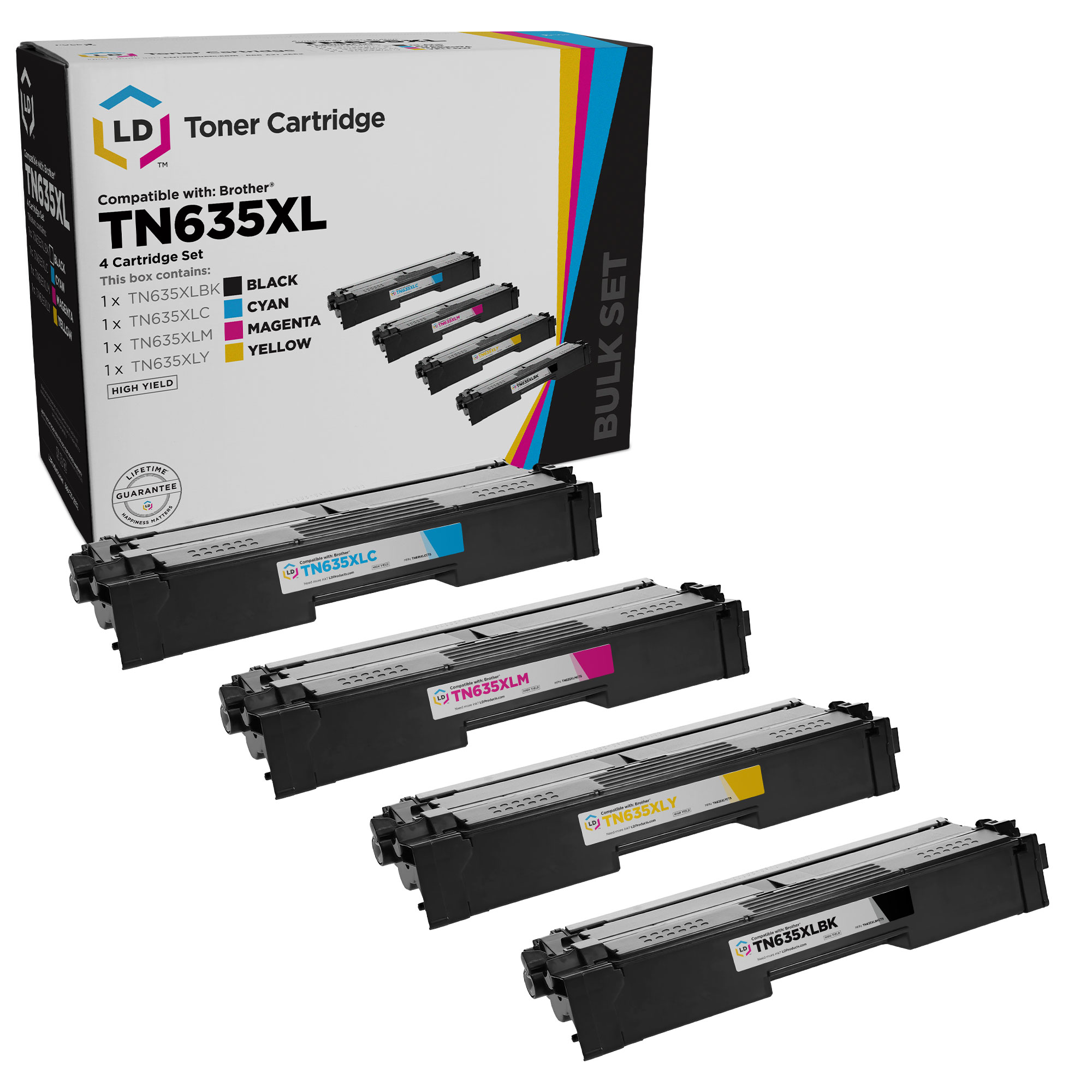
Quick Answer: The Brother TN635 and TN637 toner series (released in late 2025) are designed for select Brother HL-L and MFC-L color laser printers. TN635 cartridges come in standard, high yield (TN635XL), and super high yield (TN635XXL) options, while TN637 cartridges are ultra high-yield versions that only work in specific printer models. The main differences are page yield, printer compatibility, and long-term cost per page.
This article provides an overview of the TN635 and TN637 toner differences. For detailed installation steps, printer-specific instructions, and technical support, visit our Help Center articles linked throughout this guide.
What Is the Brother TN635 & TN637 Toner Series
The Brother TN635 and TN637 toner series are business-class color laser toner cartridges designed for high-volume Brother HL-L and MFC-L printers commonly used in offices, schools, and shared work environments.
Both series are available in:
- Black (BK)
- Cyan (C)
- Magenta (M)
- Yellow (Y)
They are built to support:
- Consistent color output
- Higher monthly print volumes
- Lower long-term printing costs at higher yield levels
Although TN635 and TN637 cartridges may look similar, they are not universally interchangeable across all printers.
TN635 vs TN637: What’s the Difference?
The Short Answer
- TN635: Standard compatibility across supported printers, with multiple yield options
- TN637: Ultra high-yield cartridges that only work in select Brother printer models
The Practical Difference
A Brother printer that accepts TN635 toner will not always accept TN637 toner, even though the cartridges may be similar in size and appearance.
TN635 is designed to offer flexibility, allowing users to choose between standard, high-yield, or super high-yield cartridges.
TN637 is designed for heavy-volume printing environments and is restricted to specific models that support ultra high-yield toner.
Why TN637 Toner Doesn’t Work in Every Printer That Uses TN635
TN637 compatibility is limited due to firmware and cartridge design differences in certain Brother printers. These restrictions help ensure reliable performance in printers designed to handle ultra high-yield toner cartridges.
For a detailed technical explanation, see: Why TN637 Toner Doesn’t Work in Every Printer That Uses TN635?
TN635 Yield Options Explained (Standard vs XL vs XXL)
All TN635 toner cartridges fit the same compatible printers. The difference between TN635, TN635XL, and TN635XXL is how many pages each cartridge can print before it needs to be replaced.
| Name / Product | Black Page Yield | Color Page Yield | Yield Type |
|---|---|---|---|
| Compatible Brother TN635 Toner | ~3,000 pages | ~1,800 pages | Standard Yield |
| Compatible Brother TN635XL Toner | ~5,500 pages | ~4,500 pages | High Yield |
| Compatible Brother TN635XXL Toner | ~7,500 pages | ~6,000 pages | Super High Yield |
*Page yield is based on ISO/IEC testing at 5% coverage. Actual results vary depending on print settings, page content, and usage patterns.
How Yield Affects Replacement Frequency
Higher-yield toner cartridges print more pages before replacement, which can reduce downtime and maintenance interruptions in busy office environments.
For printers such as the HL-L8570CDW or MFC-L8970CDW, higher-yield toner cartridges are often preferred because they require fewer cartridge changes over time.
Looking for exact cost-per-page calculations based on current pricing? See: TN635 vs TN635XL vs TN635XXL: Cost Per Page – Which Is Cheaper?
Which Brother Printers Use TN635 and TN637 Toner
Brother TN635 and TN637 toner cartridges are designed for specific Brother HL-L and MFC-L series color laser printers, but compatibility is not the same for both series.
Understanding which printers support TN635 vs TN637 is important, as TN637 ultra high-yield toner only works in select models.
Brother Printers Compatible with TN635 Toner
TN635 toner is compatible with a broader range of Brother business-class printers, making it the most flexible option within the series. Commonly supported models include:
TN635 cartridges are available in standard, high yield (TN635XL), and super high yield (TN635XXL) options, all of which fit the same supported printers.
If your printer still displays a Replace Toner message after installing a new cartridge, see our help center guide on how to reset the toner counter on Brother HL-L8430CDW.
For the complete list, see: Which Brother Printers Use TN635 Toner?
Brother Printers Compatible with TN637 Toner
TN637 toner cartridges are ultra high-yield cartridges that only work in select Brother printer models that support higher-capacity toner. Supported models include:
Because TN637 compatibility is limited, confirm your exact printer model before purchasing.
For the full compatibility list, see: Which Brother Printers Use TN637 Toner?
Important Compatibility Note
Even if a printer uses TN635 toner, it may not support TN637 toner. The cartridges are similar in appearance, but firmware and hardware differences prevent TN637 from working in all TN635-compatible printers.
If you’re unsure which toner your printer supports, verify the printer model number and refer to the compatibility guides above.
Do TN635 and TN637 Toner Use the Same Drum
Yes. Brother TN635 and TN637 toner cartridges both use the same drum unit, which means you do not need a different drum when switching between these toner series.
For supported Brother printers, both TN635 and TN637 toner cartridges use the DR635CL drum unit, regardless of toner yield (standard, high, super high, or ultra high).
Why this matters:
- You can replace toner without replacing the drum
- Drum replacement is based on drum life, not toner yield
- Switching between TN635 and TN637 does not affect drum compatibility
For details on drum lifespan, replacement timing, and how drum life is tracked by your printer, see: Do TN635 and TN637 Use the Same Drum?
How to Install TN635 and TN637 Toner Cartridges
Installing TN635 or TN637 toner cartridges is a straightforward process, but it’s important to use the correct toner series for your specific Brother printer model.
While TN635 and TN637 cartridges install in a similar way, compatibility differs by printer—so confirm that your printer supports the cartridge you’re installing before beginning.
For step-by-step installation instructions, see: How to Install Brother TN635 and TN637 Toner Cartridges?
How to Monitor Toner and Drum Life
In addition to proper installation, monitoring toner and drum life helps prevent unexpected downtime, especially in shared office environments.
Brother printers allow you to check remaining toner and drum life directly from the printer’s control panel.
If you need to view additional printer details such as your serial number, firmware version, page count, or parts life, see our help center guide on how to check machine info on Brother printers.
Model-Specific Guides
- How to Check Remaining Part Life on Brother HL-L8430CDW?
- How to Check Remaining Part Life on Brother HL-L8730CDW?
Tracking part life makes it easier to plan replacements and avoid interruptions during high-volume printing.
Compatible vs Genuine Brother TN635 Toner
When shopping for TN635 toner, you’ll typically see two options: genuine Brother (OEM) cartridges and compatible replacements.
- Compatible TN635: Designed to work with supported Brother printers and typically costs less than OEM toner, especially at higher yields
- Genuine Brother TN635: Manufactured by Brother and designed to original specifications
For many offices, schools, and businesses, compatible TN635 toner can be a practical option to reduce overall printing costs.
Should You Buy TN635 Toner Individually or as a 4-Pack
If you print regularly in color on printers like the MFC-L8930CDW, a BCMY 4-pack can be a convenient option.
Benefits of a TN635 4-pack bundle:
- Keeps all colors stocked
- Helps reduce printer downtime
- Simplifies reordering
- Often provides better overall value
Single cartridges are a good option if:
- One color runs out faster than others
- You need a quick replacement
- You want tighter control over inventory
How to Choose the Right TN635 Toner
When choosing TN635 toner, consider:
- Your Brother printer model
- Your monthly print volume
- Your preferred yield level (standard, high yield, or super high yield)
- Whether you prefer genuine or compatible toner
For high-volume environments, TN635XL or TN635XXL cartridges are often preferred because they reduce how often you need to replace toner.
FAQs
Which printers use TN635 toner?
TN635 toner works with Brother HL-L8430CDW, HL-L8430CDWT, HL-L8570CDW, MFC-L8730CDW, MFC-L8930CDW, MFC-L8970CDW, and MFC-EX575.
What’s the main difference between TN635 and TN635XL?
TN635XL cartridges print more pages than standard TN635 cartridges, which reduces how often toner needs to be replaced.
Can I mix TN635 standard and high yield cartridges in the same printer?
Yes. Supported Brother printers allow you to mix standard, high yield, and super high yield TN635 cartridges.
Are compatible TN635 toners safe to use?
High-quality compatible TN635 toner is designed to work in supported Brother printers and is tested for print quality and reliability.
Does firmware affect TN637 compatibility?
Yes—firmware can affect whether a printer recognizes a toner cartridge series. TN637 is restricted to specific Brother models, so even if a cartridge fits physically, an unsupported printer may display a cartridge/toner error if it isn’t designed to accept TN637. The safest approach is to match your exact printer model to the TN637 compatibility list before purchasing.
If you need to update your printer, follow our step-by-step guide on how to update the firmware on Brother HL-L8570CDW.





Leave a Reply